Styling the playback cursor
On the Web platform, alphaTab paints its playback cursor, beat highlight, and range selection as regular DOM elements with stable CSS classes. Style them with the rest of your site's CSS — no JavaScript hooks needed. Reach for it to match your app's brand color on the cursor, or to widen and slow the highlight for a visually-accessible player.
- Reset
- Blue
- Orange
- Dark
Range selection
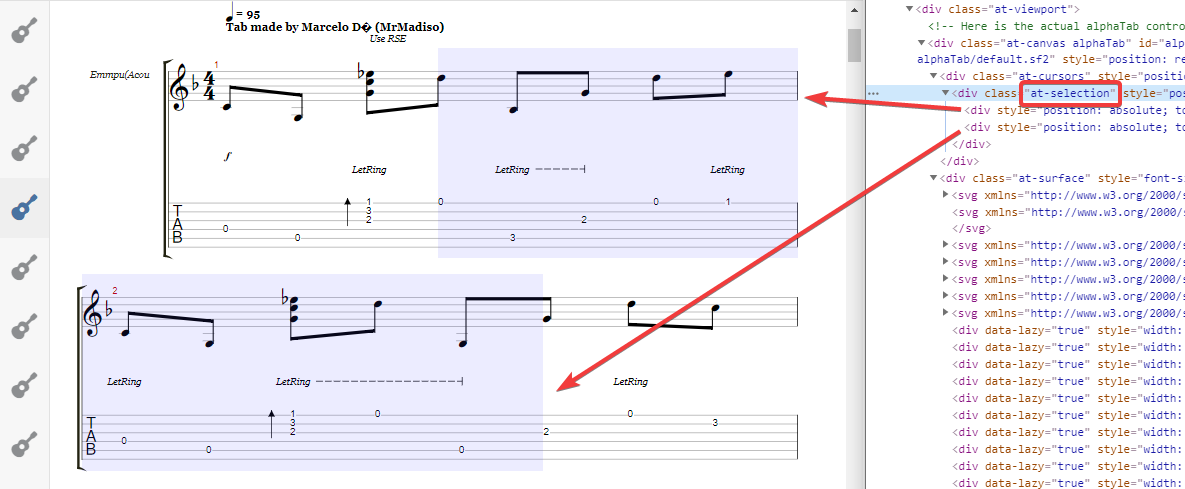
When range selection is enabled, alphaTab wraps the mouse-selected area in a div with class at-selection. The wrapper contains one child div per bar area covered by the selection. A translucent background reads as a highlight without hiding the notation underneath.
.at-selection div {
    background: rgba(64, 64, 255, 0.1);
}
Bar cursor
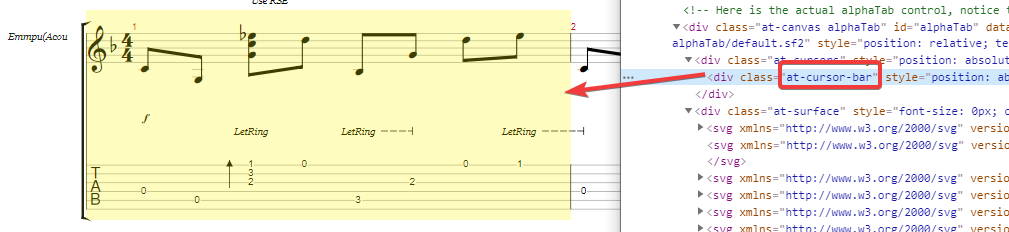
During playback alphaTab positions a div behind the currently played bar and assigns it the class at-cursor-bar. A translucent fill marks the active bar without masking the glyphs on top.
.at-cursor-bar {
    background: rgba(255, 242, 0, 0.25);
}
Beat cursor
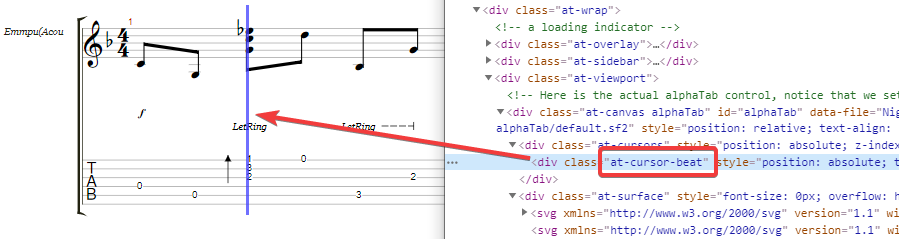
alphaTab also places a thin div at the currently played beat, animates it forward, and marks it with class at-cursor-beat. Give it an explicit width — without one, the cursor collapses to zero and disappears.
.at-cursor-beat {
    background: rgba(64, 64, 255, 0.75);
    width: 3px;
}
Beat highlight
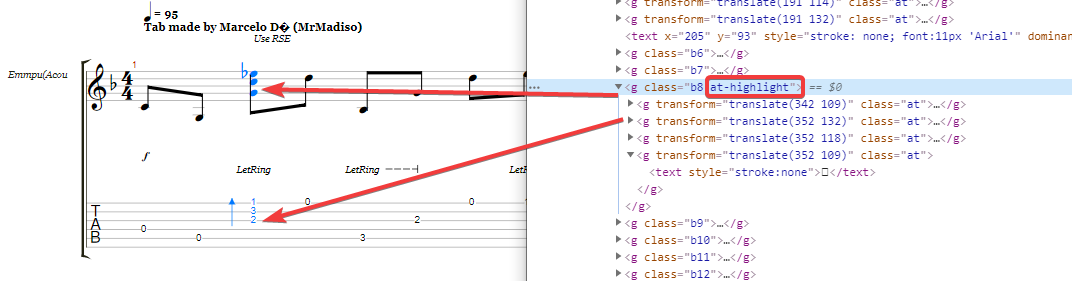
When alphaTab renders as SVG in the browser, it tags the SVG groups belonging to the currently played beat with class at-highlight. Because the highlighted glyphs are a mix of paths, lines, and text, style both fill and stroke to catch every shape.
.at-highlight * {
    fill: #0078ff;
    stroke: #0078ff;
}
Where to look next
- Score-wide palette — default colors for staff lines, glyphs, and text.
- Per-element colors — recolor a single notehead, stem, or effect glyph.
enableCursorandenableElementHighlighting— toggle the cursor and highlight overlays.